> ## Documentation Index
> Fetch the complete documentation index at: https://docs.replo.app/llms.txt
> Use this file to discover all available pages before exploring further.
# Voice Mode
> Talk to Replo Chat using your voice instead of typing
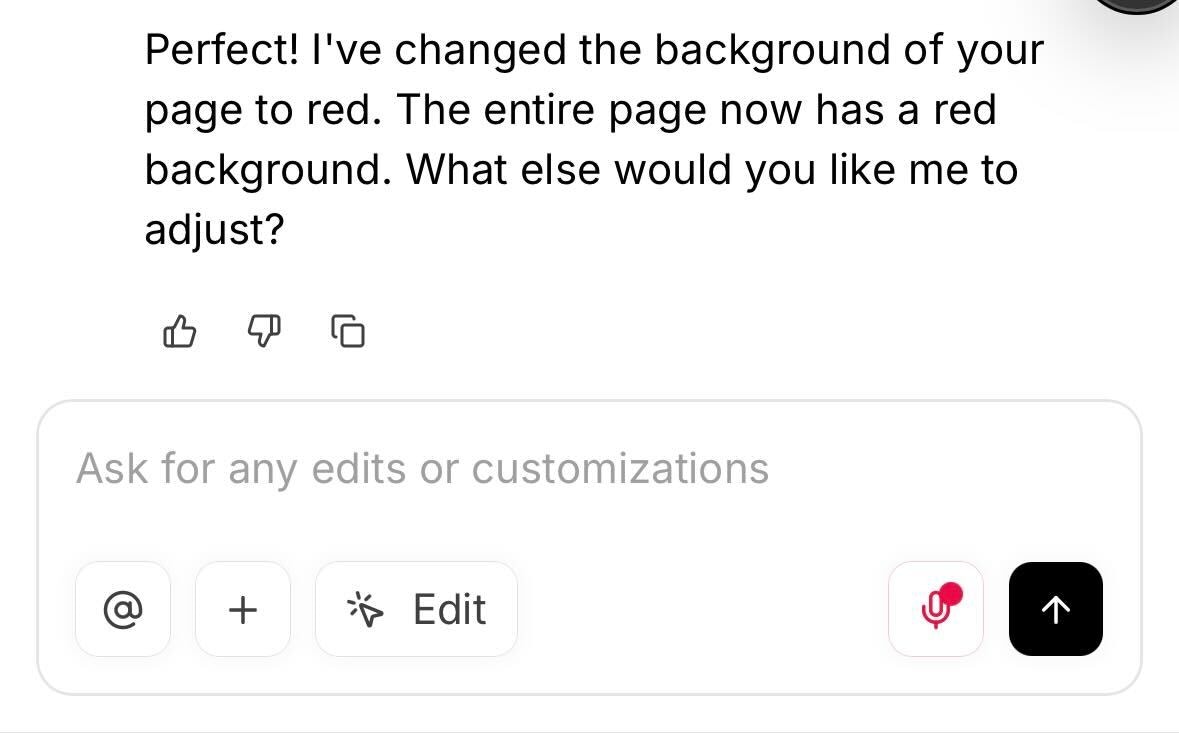
Voice Mode lets you speak directly to Replo Chat instead of typing. Press the microphone button or use a keyboard shortcut to start talking—Replo will transcribe your voice and fill in the chat input automatically.
***
## How to Use Voice Mode
### Using the Microphone Button
Click the **microphone button** in the chat input area to start recording. Speak your request, then click again to stop. Your spoken words will be transcribed into the text input.
 ### Using Keyboard Shortcuts
You can also activate Voice Mode with a keyboard shortcut:
| Platform | Shortcut |
| -------- | ------------------------------------------------- |
| Mac | Cmd + Option + M |
| Windows | Ctrl + Alt + M |
***
## Tips for Best Results
* **Speak clearly** — Enunciate your words for more accurate transcription.
* **Use natural language** — Describe what you want just like you would type it. For example: "Add a hero section with a product image on the left and a buy box on the right."
* **Review before sending** — Voice Mode fills in the input field, giving you a chance to review and edit the transcription before sending.
***
## When to Use Voice Mode
Voice Mode is great for:
* **Longer prompts** — Describing complex layouts or multi-step changes is faster by voice.
* **Brainstorming** — Talk through ideas without slowing down to type.
* **Mobile editing** — Easier than typing on smaller screens.
***
## FAQ
**Does Voice Mode send my message automatically?**
No. Voice Mode transcribes your speech into the text input field. You still need to press Enter or click Send to submit your message.
**What languages are supported?**
Voice Mode uses your browser's voice recording features to transcribe your voice. Languages supported depend on your browser.
**Is my voice data stored?**
Voice recordings are automatically transcribed using your browser. Replo never receives your audio recordings and does not store them.
### Using Keyboard Shortcuts
You can also activate Voice Mode with a keyboard shortcut:
| Platform | Shortcut |
| -------- | ------------------------------------------------- |
| Mac | Cmd + Option + M |
| Windows | Ctrl + Alt + M |
***
## Tips for Best Results
* **Speak clearly** — Enunciate your words for more accurate transcription.
* **Use natural language** — Describe what you want just like you would type it. For example: "Add a hero section with a product image on the left and a buy box on the right."
* **Review before sending** — Voice Mode fills in the input field, giving you a chance to review and edit the transcription before sending.
***
## When to Use Voice Mode
Voice Mode is great for:
* **Longer prompts** — Describing complex layouts or multi-step changes is faster by voice.
* **Brainstorming** — Talk through ideas without slowing down to type.
* **Mobile editing** — Easier than typing on smaller screens.
***
## FAQ
**Does Voice Mode send my message automatically?**
No. Voice Mode transcribes your speech into the text input field. You still need to press Enter or click Send to submit your message.
**What languages are supported?**
Voice Mode uses your browser's voice recording features to transcribe your voice. Languages supported depend on your browser.
**Is my voice data stored?**
Voice recordings are automatically transcribed using your browser. Replo never receives your audio recordings and does not store them.